
All your money. One calm view.
A personal finance app that brings your bank, card and investment accounts into one calm view of your money.
An iPhone app is in development. Today, MiPysa runs in a modern browser on computers and phones.
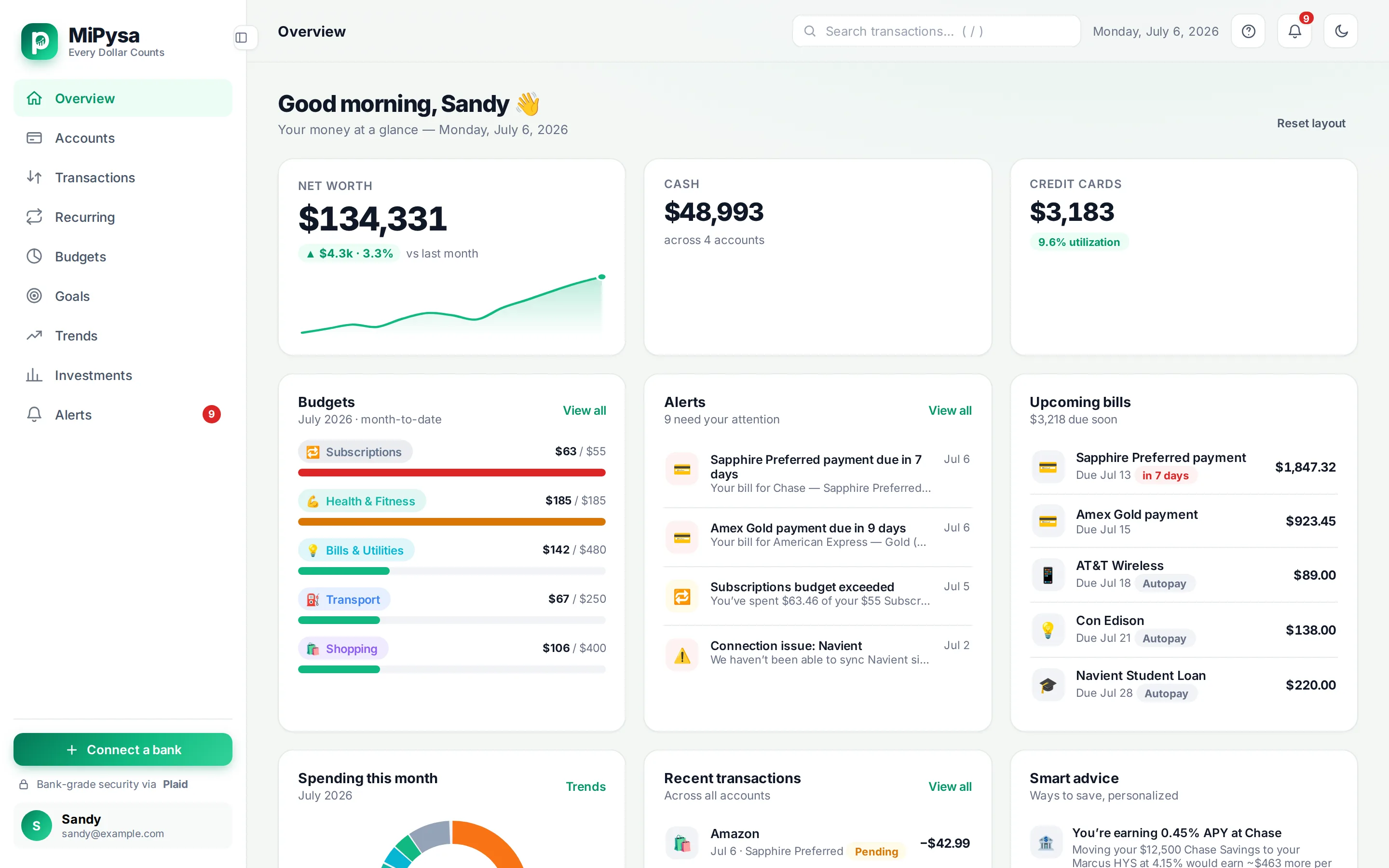
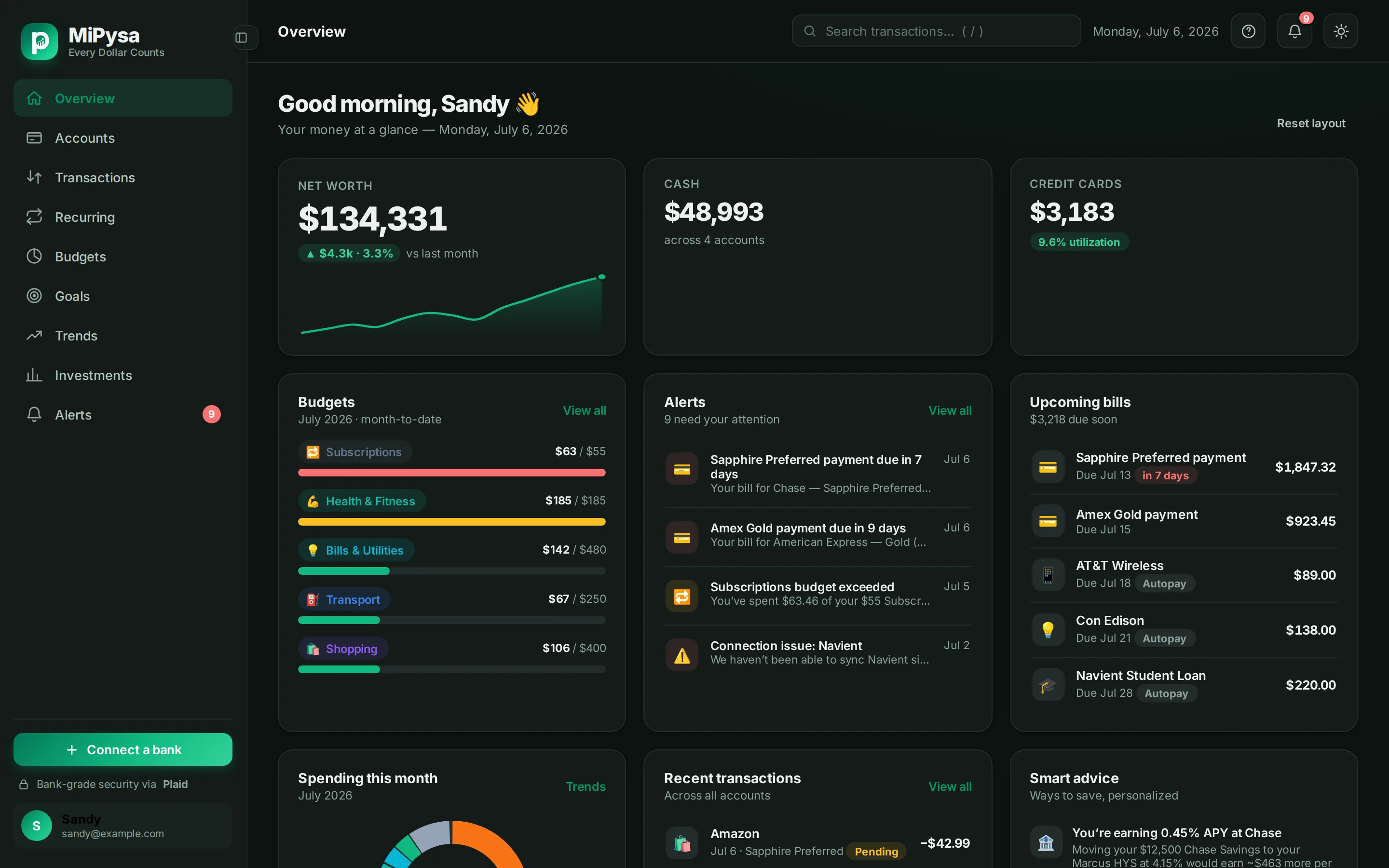
The web app
See the whole picture without moving your money.
MiPysa connects to your financial accounts through Plaid and shows your net worth, transactions, budgets, savings goals, spending trends, recurring bills and subscriptions, investment holdings, and alerts in one place. It is read-only: it can see balances and transactions, but it cannot move money.
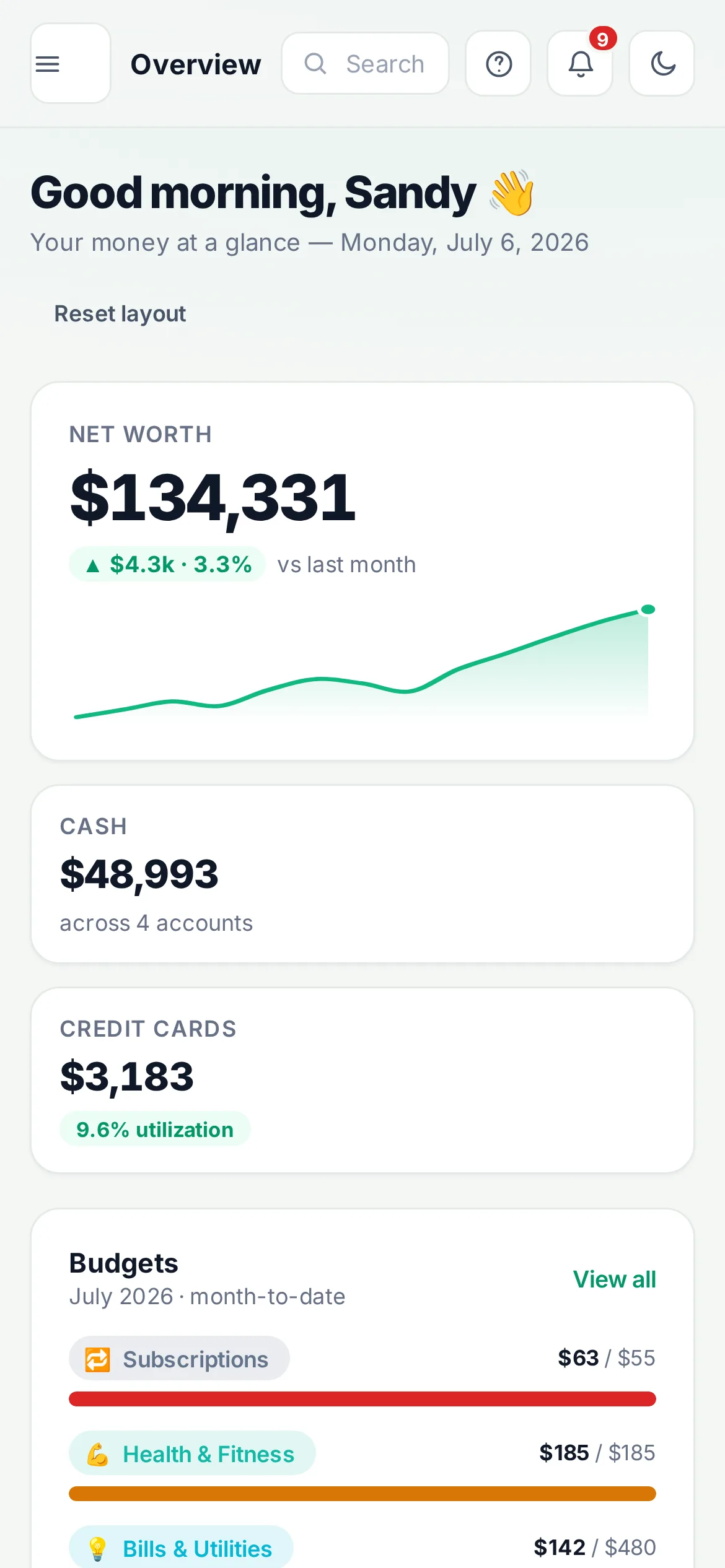
Your money stays clear on the screen you have.
MiPysa works in a modern browser on computers and phones. The phone view shown here is the web app available today.
Individuals in the United States who manage their own money (U.S. dollars, English). Shared or household accounts are not supported.
Features
The everyday pieces of your finances, together.
MiPysa connects the information you already have into a single place to review, organize, and understand it.
Overview
Net worth, cash and credit at a glance, with your budgets, alerts, upcoming bills, this month's spending and recent transactions.
Transactions
Search and filter every transaction, recategorize it, and add your own categories and tags. Your edits are kept when new data syncs.
Budgets
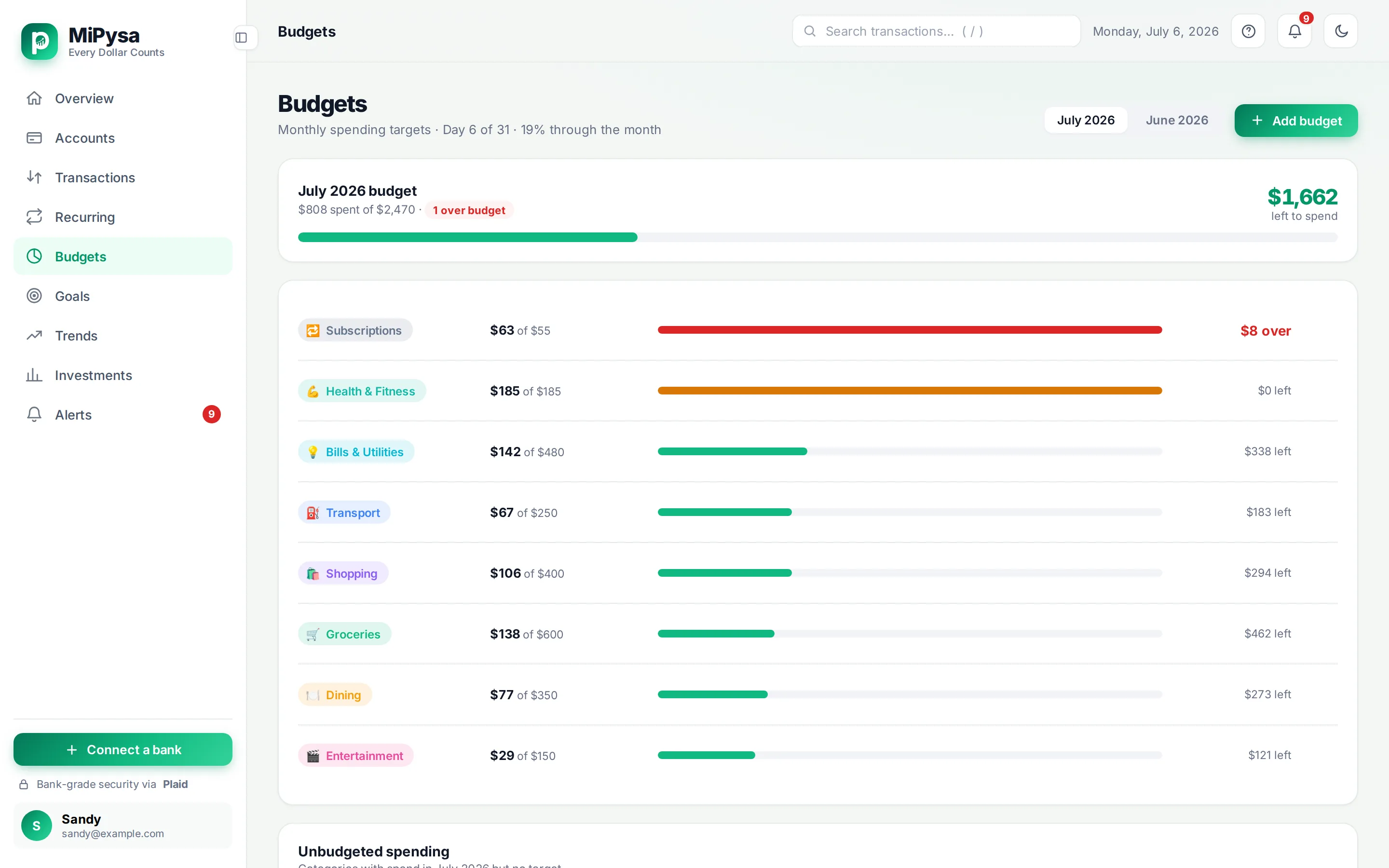
Monthly budgets by category that show your pace through the month, not just a progress bar.
Goals
Savings goals you fund by hand or link to an account, with a projected finish date.
Trends
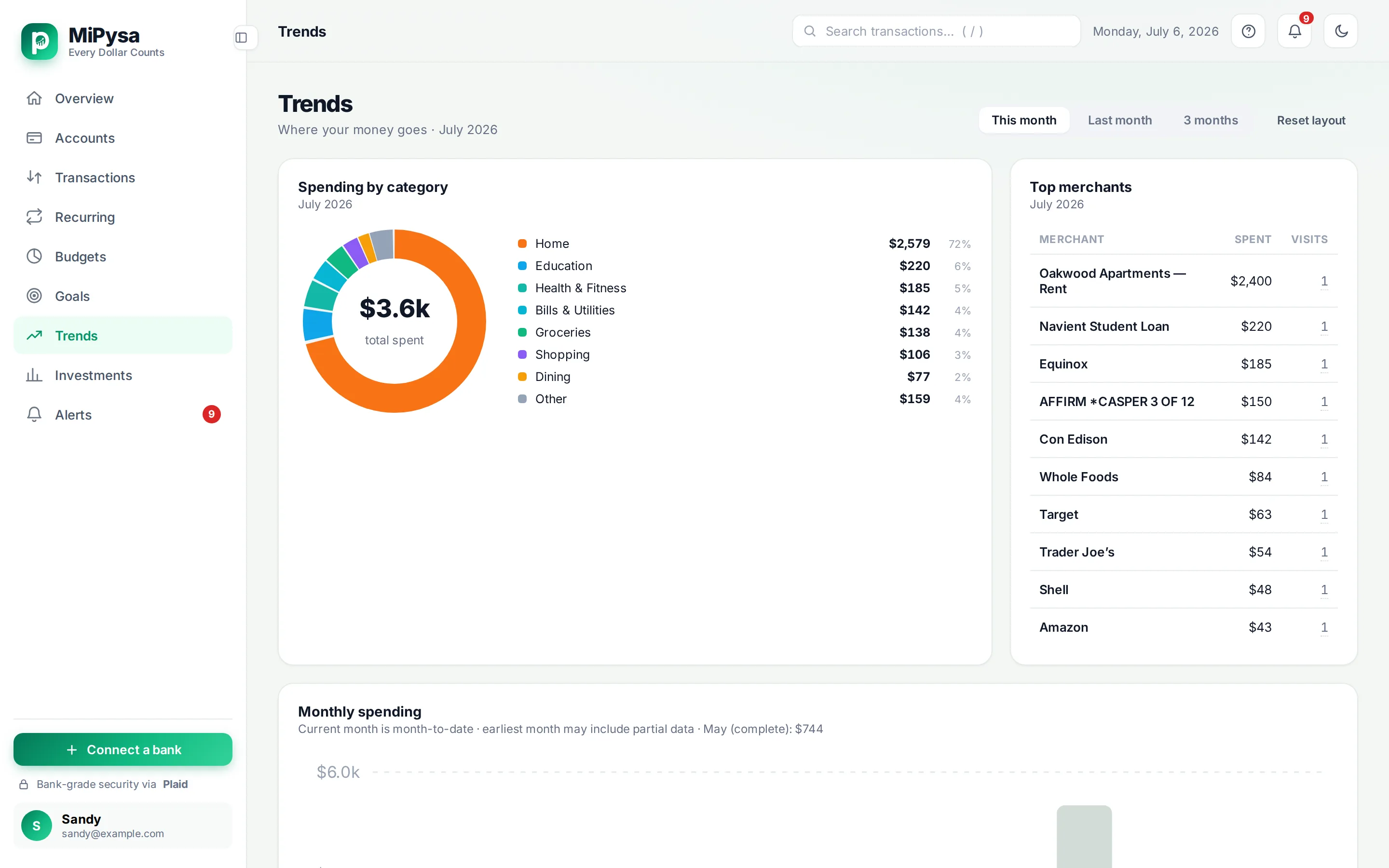
Spending by category, your top merchants, the last six months side by side, and your income, spending and savings rate.
Recurring
Finds subscriptions, bills and income in your transactions and shows what's coming up next.
Investments
The holdings in a linked investment account.
Alerts
In-app alerts for things like low balances, card bills, unusual spending, going over budget, bank fees, and large purchases or deposits, with thresholds you set.
Budgets, goals, and trends
Plan at your pace. See where the month is going.
Monthly budgets show your pace through the month. Goals include a projected finish date. Trends bring six months, categories, merchants, income, spending, and savings rate into view.
How it works
Three steps to a clearer view.
Access is by invitation during the private pilot. Once invited, you create your account and connect through Plaid.
Create your account
Sign up with Google, or with email and a password and then verify your email. During the pilot, accounts are by invitation.
Connect your accounts
Link your bank, card and investment accounts through Plaid. You sign in to your bank inside Plaid's window.
Stay up to date
MiPysa syncs new transactions automatically and keeps your overview, budgets, goals and alerts current.
Privacy and security
Read-only by design.
- You connect accounts through Plaid. MiPysa never sees or stores your bank username or password.
- Read-only. MiPysa can't move money; there are no transfers, bill payments or trades.
- It keeps only the last four digits of account numbers and never asks for your Social Security number, date of birth or home address.
- Data is encrypted in transit and at rest. The tokens that let MiPysa read your bank data get an extra, separate layer of encryption.
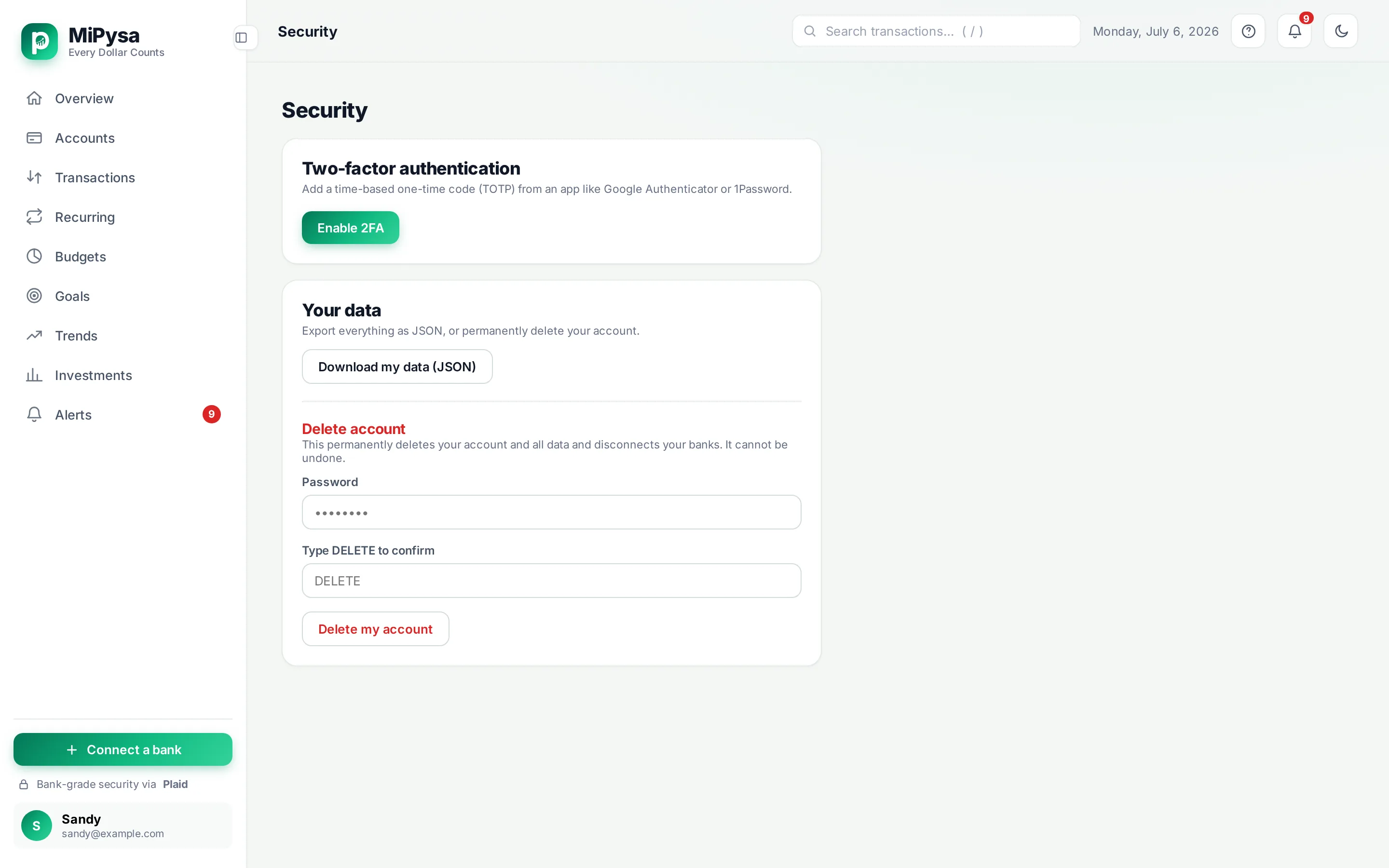
- Optional two-factor sign-in with an authenticator app and recovery codes, plus a "sign out everywhere" button.
- Export all your data as a file, or delete your account at any time. Deleting disconnects your banks at Plaid first, then deletes your data.
- Hosted in the United States. The web app loads no third-party analytics, advertising or tracking scripts.
iPhone development
A native iPhone app is in development.
This is a design preview, not an App Store listing. There is no release date to share.
MiPysa is available today as a web app in any modern browser, including on phones. The native iPhone experience shown here is still in development.
MiPysa Support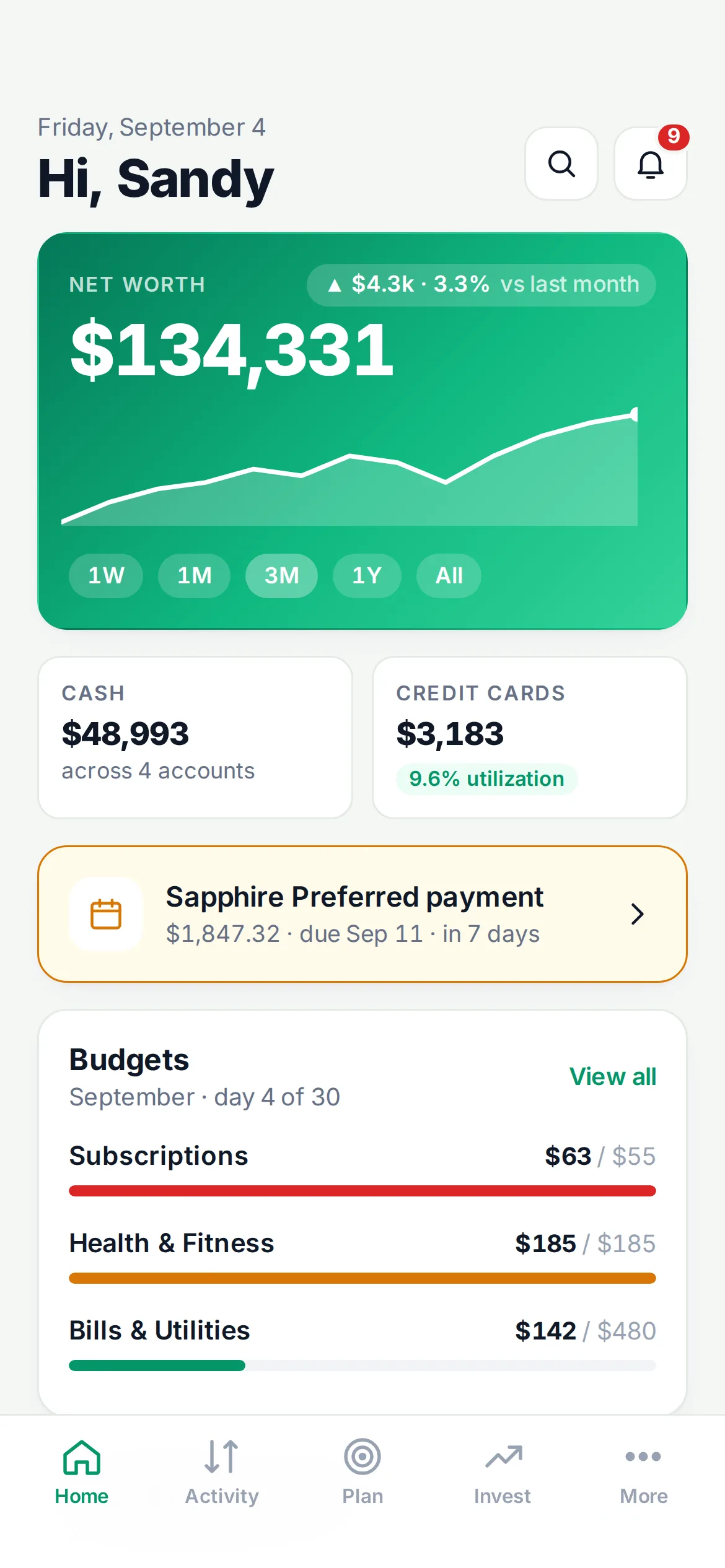
Questions
What people usually ask.
Can MiPysa see my bank password?
No. You sign in to your bank inside Plaid's window. MiPysa never sees or stores your bank username or password.
Can MiPysa move my money?
No. MiPysa is read-only. It can't make transfers, pay bills or trade.
Which banks work?
U.S. banks, credit unions, card issuers and brokerages that Plaid supports.
Is there an iPhone app?
One is in development. Today MiPysa runs in your browser on a computer or phone.
How do I join?
MiPysa is in a private pilot. Email support@mipysa.com to ask about joining.
How do I export or delete my data?
Both are in the app under Security. The support page has the steps.
Every Dollar Counts.
Request early access, sign in if you already have a pilot account, or visit support for help.